> ## Documentation Index
> Fetch the complete documentation index at: https://docs.silo-software.com/llms.txt
> Use this file to discover all available pages before exploring further.
# Development
> Learn how to preview changes locally
**Prerequisite** You should have installed Node.js (version 20.17.0 or
higher).
Step 1. Install the Mint CLI:
```bash npm theme={"system"}
npm i -g mint
```
```bash pnpm theme={"system"}
pnpm add -g mint
```
Step 2. Go to the root of your docs app (where `docs.json` lives) and run:
```bash theme={"system"}
mint dev
```
The documentation website is now available at `http://localhost:3000`.
### Custom Ports
Mint uses port 3000 by default. You can use the `--port` flag to customize the port. For example, use this command to run on port 3333:
```bash theme={"system"}
mint dev --port 3333
```
If the port is already taken, Mint falls back to the next available port:
```md theme={"system"}
Port 3000 is already in use. Trying 3001 instead.
```
If you do not want to install the CLI globally, you can also run:
```bash theme={"system"}
npx mint dev
```
## CLI Versions
Each CLI is linked to a specific version of Mintlify. Please update the CLI if your local website looks different than production.
```bash npm theme={"system"}
mint update
```
```bash npm theme={"system"}
npm i -g mint@latest
```
## Deployment
Unlimited editors available under the [Startup
Plan](https://mintlify.com/pricing)
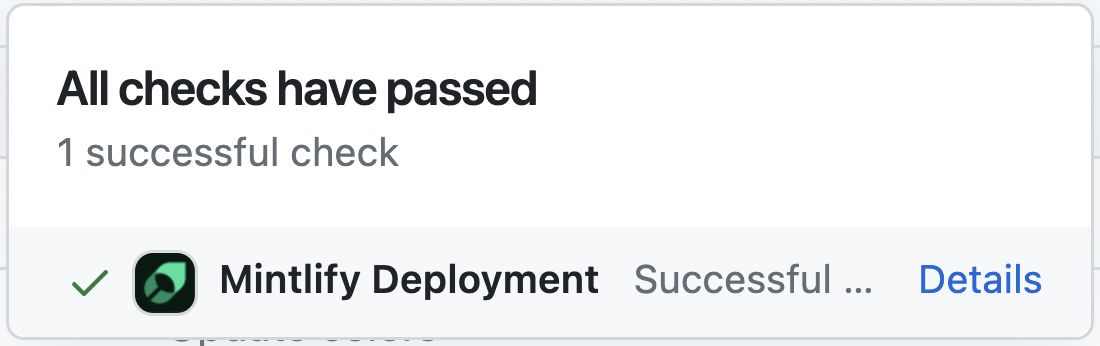
You should see the following if the deploy successfully went through:
 ## Troubleshooting
Here's how to solve some common problems when working with the CLI.
Verify that you are on Node.js v20.17.0 or newer. Then run `mint update`
and try `mint dev` again.
Try navigating to the root of your device and delete the \~/.mintlify folder.
Then run `mint dev` again.
Curious about what changed recently? [Check the Mintlify product updates](https://mintlify.com/docs/changelog).
## Troubleshooting
Here's how to solve some common problems when working with the CLI.
Verify that you are on Node.js v20.17.0 or newer. Then run `mint update`
and try `mint dev` again.
Try navigating to the root of your device and delete the \~/.mintlify folder.
Then run `mint dev` again.
Curious about what changed recently? [Check the Mintlify product updates](https://mintlify.com/docs/changelog).